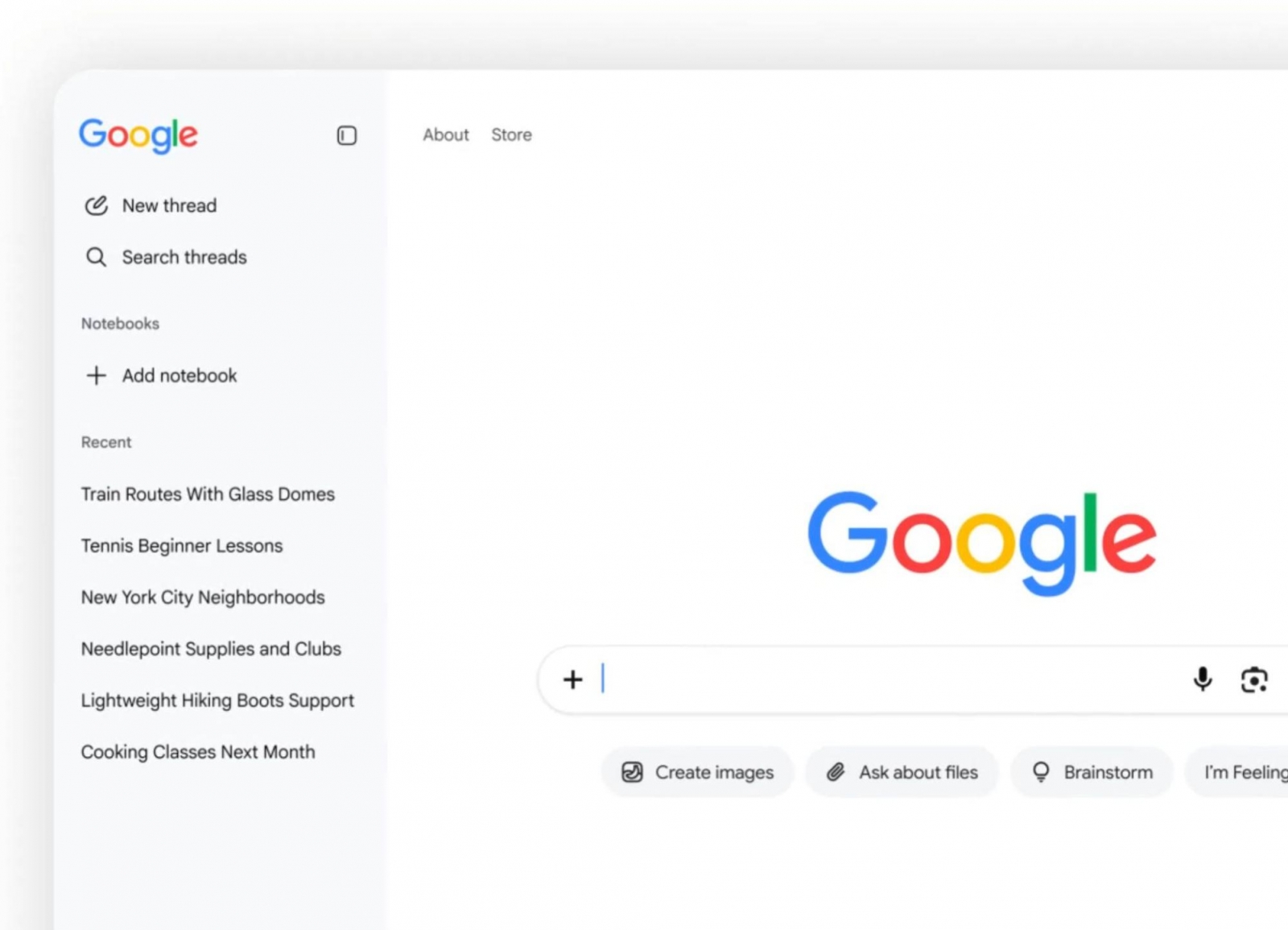
Google is gradually rolling out a collapsible sidebar for AI Mode on its desktop homepage, giving signed-in users one-click access to recent conversations. The change makes it easier to resume multi-step searches, but it also means that AI Mode history can be readily visible to anyone using the same browser profile while the Google account remains signed in.
Collapsed, the new interface appears as a narrow gray strip at the left of the page. Opening it lets users start a conversation, search older chats, or connect a Gemini notebook. Google Search VP of Product Robby Stein said the feature is rolling out globally in stages.
The sidebar further shifts Google Search toward a persistent conversational interface, where previous exchanges can be picked up rather than restarted. That convenience may matter on shared computers, where sensitive discussions—including health, employment or personal-finance queries—could be exposed through the history panel.
Individual conversations can be removed from AI Mode by opening the history panel and selecting Delete from the three-dot menu. A control at the top of the history also allows all conversations to be deleted.
Google says deleted entries may still appear in My Activity for less than 24 hours, where they can also be removed manually. If an AI Mode conversation began from an AI Overview, deleting the original search may be necessary as well. Separately, Google’s Search Services History policy says some media already selected for AI training may be detached from an account and retained for up to four years.
For searches that should not remain in the visible AI Mode history, Google has also introduced temporary conversations. Started from an icon at the upper right of AI Mode, these chats disappear from the interface when users leave them, and the temporary data is deleted after 24 hours. Google says they are not used to personalize future responses or train generative models, subject to the company’s stated feedback and safety exceptions.
- Temporary chats cannot use account-connected apps.
- Temporary chats cannot be shared.
- Temporary chats cannot generate images.
- Websites opened from responses may still appear in browser history.
Temporary conversations are rolling out on desktop and mobile browsers in all languages supported by AI Mode. The history sidebar has so far been announced for Google’s desktop homepage only, with no separate timetable for when every account will receive it.